How To Clean Your Computer’s USB Ports Without Damage
Abstract: This page guides you on how to clean your computer’s USB port properly without causing any damage to the system. You get to learn all equipments too required for cleaning the USB port.
Your computer is likely to get dusty and dirty once you’ve been using it for some time now. While you can wipe down your machine from the sides, the dust is likely to get into your USB ports while doing so. Not cleaning your USB port not only leads to slow performance but can also prevent its proper functioning. If you notice dirty USB ports, do not leave them as it is. Instead, it is advisable to clean them.
Cleaning USB ports is easier than you think. All you need are a few basic materials that are easily available in your home. If not that, you can purchase the regular cleaning kit to clean the USB ports. Cleaning the USB ports will take only a couple of minutes. It is best if you clean the USB ports once every month or more frequently if you live in a dusty area. This blog will guide you on how to clean the USB ports carefully without damaging them.
Part 1: Why Do You need to clean the Computer’s USB Ports?
Over time, dust and dirt can accumulate in the USB ports of your computer, which is why you should clean them regularly. Some of the key reasons to clean the computer’s USB ports include the following:
- Connection issues: Dirt and debris collection in the USB ports can hamper the functioning of the electronic ports, thereby leading to failed connections. Therefore, the USB port will not even read the device upon being connected.
- Port damage: If there’s dust accumulation for a long time, it will lead to significant port damage. Cleaning will help in preventing permanent malfunction. Once the port becomes damaged, you will have to replace it which can increase the costs.
- Slow charging or data transfer: Dust accumulation leads to port damage, which slows down the data transfer speed. In some cases, it will prevent the device from being recognized. Therefore, the data won’t be transferred from one device to another.
- Preventive maintenance: You must clean dust from the ports regularly as part of preventive maintenance. It plays an important role in preventing any major issues from developing.
Part 2: Basic Items Needed to Clean a Computer’s USB Ports?
You don’t need any extensive items for cleaning your computer’s USB ports. You can use some regular items available in your home for cleaning them. Some of the key items you’ll need are as follows:
- Toothpick
- Lint-free cloths
- Cotton swabs
- Compressed air
- Small vacuum cleaner
- Tweezers
Your computer’s USB ports are prone to a wide range of risks due to dust accumulation such as failure, permanent damage and more. It is advisable to thoroughly clean these USB ports frequently. Cleaning the USB ports once a month should be helpful. However, when you are using toothpicks and tweezers, you must be careful, as the pointed tips can damage the electrical connections.
Part 3: How to Clean a Computer’s USB Port Correctly?
Cleaning the computer’s USB port is extremely crucial to ensure the proper functioning of your system. However, you have to be extremely careful while using the different equipment for cleaning. Not doing so can lead to damage to the USB port harming its electrical components thereby preventing the system from working normally.
Here are some of the key ways for cleaning the USB port correctly:
Tweezers
Tweezers are one of the fastest and easiest ways to clean the USB. Irrespective of the type of port you have, USB-A, USB-B, or USB-C, you need to be extremely careful with the tweezers. You must turn off your computer before using the tweezers to clean the computer’s USB port. If you are cleaning your laptop’s USB port, make sure to remove the battery.
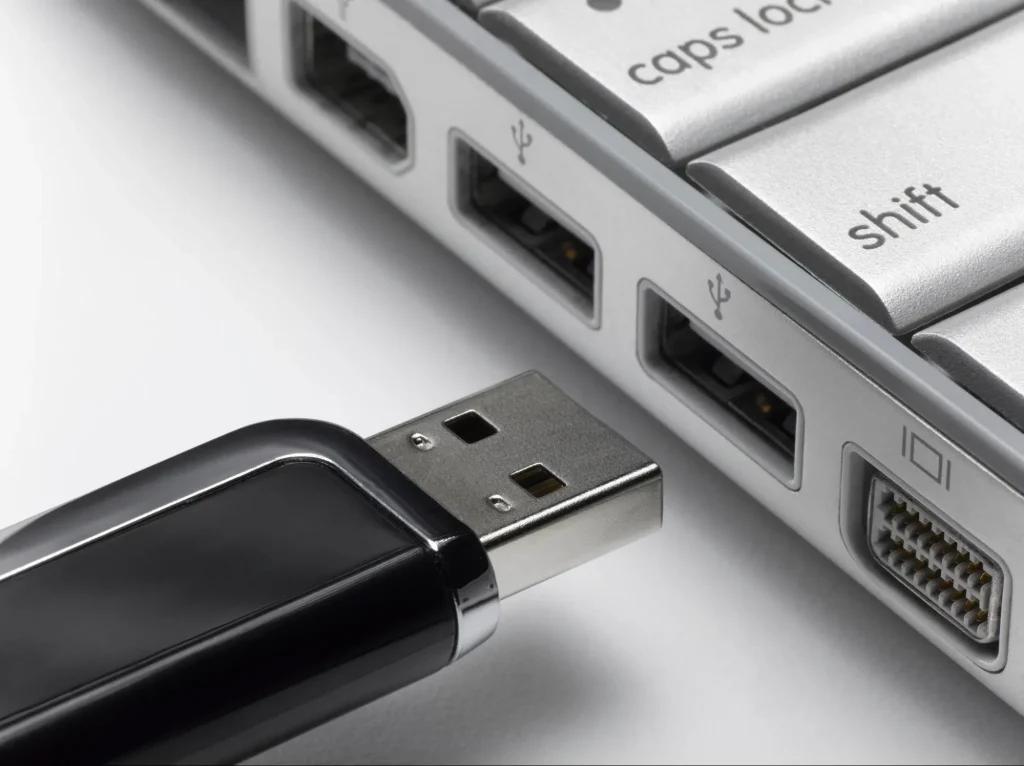
Use the tweezers to remove any large debris that may be visible to your eye. For example, you must look for pet hair, dust bunnies, and so on. Apart from this, the USB port may also have some broken parts remaining if any connected device was broken earlier. In that case, you must remove those broken parts as well. While using tweezers, ensure that you are not scratching your system’s electrical connection with them. It is advisable to use rubber-tipped tweezers over traditional tweezers while cleaning USB ports to prevent any electrical chord from breaking.
Compressed Air
Cans of compressed air are available at grocery stores. You can visit one of these grocery stores and purchase the compressed air cans. These compressed air cans have narrow, long tubes through which the air flows. You can position the nozzle in such a direction that the air reaches the USB port.
Avoid any angle through which the air can leak. You should ensure that the air is blown in a proper direction so that the debris gets out rather than getting stuck into the system. Although it will take some time for the dirt and debris to loosen, if you’re not mindful, it can get more stuck, creating issues.
Cotton Swabs
If you have USB-A ports, it is advisable to use a cotton swab to clean any debris that may be left behind. You can dip the cotton swab in any standard concentration, but do not opt for a higher alcohol concentration, as it can create other issues. You must let the concentration dry thoroughly after cleaning the port before you turn on your computer.

You can use rubbing alcohol, as it helps to break stubborn dirt and grime buildup. This plays a key role in ensuring the debris comes out and the port becomes cleaner. After that, you may use a lint-free cloth to remove any left-behind debris. Avoid using a cotton swab as it can leave behind bits, creating another problem related to dirt and dust buildup.
Toothbrush
If you are using a toothbrush, it is best to use a clean and soft-bristle one for cleaning the ports. You can gently brush the USB ports to remove collected debris. If you don’t want to risk it using a toothbrush, you may use an electronic duster.
Electronic cleaning kits are also available in the market that can be used as cleaning tools. These can be used for cleaning the USB ports of phones and computers.
Small Vacuum Cleaner
While you may think that vacuum cleaners are a great solution to clean dirt and debris, they might not be so. Big vacuum cleaners are huge and have extra pressure that can damage the entire port. Instead, it is advisable to use small vacuum cleaners designed specifically for USB cleaning..
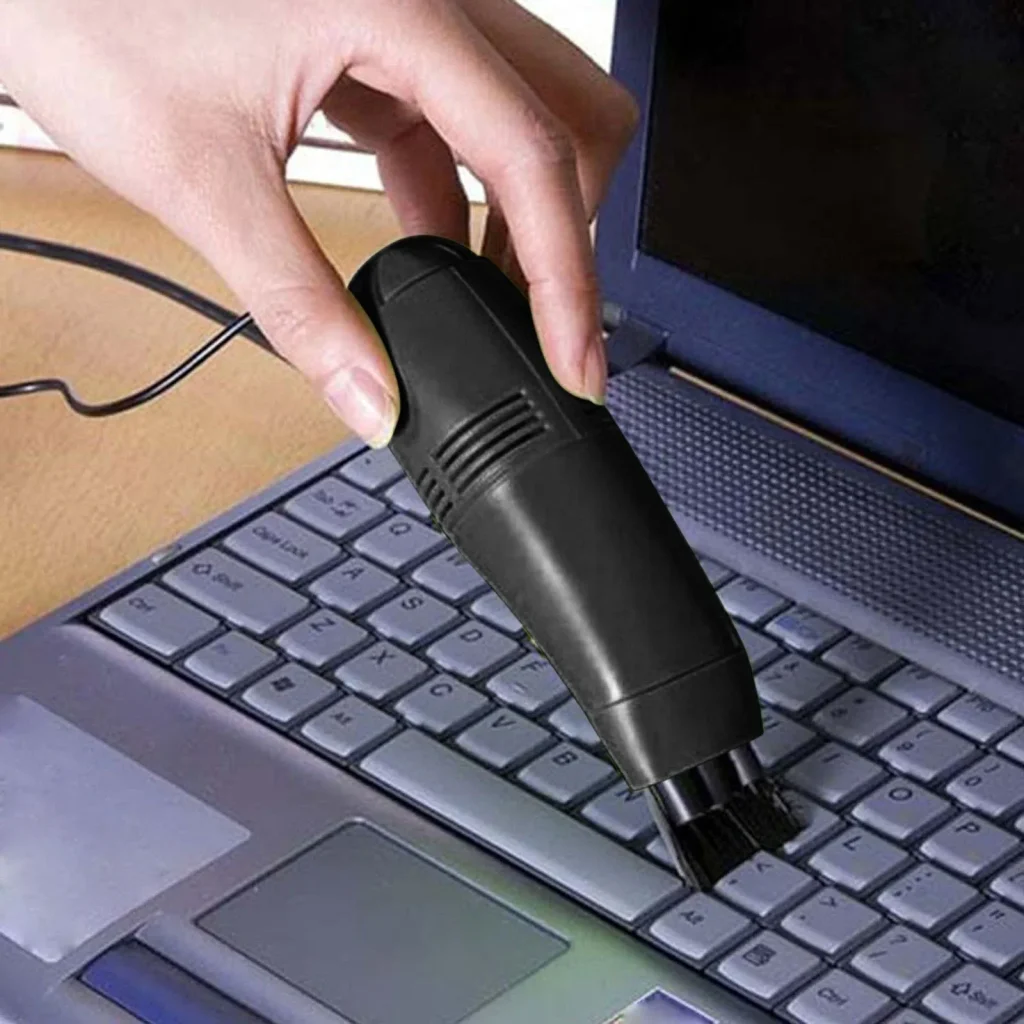
Small vacuum cleaners are compact, portable and have sufficient pressure to remove the dirt and dust accumulated in the USB port. Even if the dirt and debris are stuck for a long time, the cleaner can be of great help to get rid of them. However, make sure your system is turned off while you’re using these.
Isopropyl Alcohol
70% isopropyl alcohol is a standard choice for cleaning your USB port. It is advisable to use a concentrated solution that can dry off easily. The isopropyl plays an important role in ensuring that you’re not facing any problem while cleaning the port. Since it dries off easily, the USB port can be cleaned easily without any damage. Be very mindful of the concentration of the alcohol to avoid any irreversible damage to the USB port.
Conclusion
Your computer’s USB ports are extremely important for its functioning. Therefore, it is recommended to clean them thoroughly once a month. However, if you live in dusty areas, you may prefer cleaning the USB ports more frequently. Dust accumulation can lead to port damage, which can prevent your system from functioning properly especially in regards to data transfer. Thus, using the regular items in your house, it is advisable to dust the ports of your devices regularly.
FAQs
- How often should I clean USB ports?
You must clean the USB ports at least once a month. However, if you live in a dusty environment, you will have to clean it more frequently.
- What is the best way to clean a computer’s USB ports?
Your computer’s USB ports are likely to become dirty and accumulate dust if you’re not cleaning them frequently. It is best to use tweezers, cotton swabs, and compressed air to clean USB ports.
- Is 70% isopropyl alcohol safe for cleaning USB ports?
Yes, 70% isopropyl alcohol is safe for cleaning USB ports. However, it is recommended to clean it properly within the time to avoid the risk of any type of damage.
Suggested Articles:
How To Clean Computer Cabinet Without Damage: Clean PC Case

Author Bio:
Dinesh Lakhwani, the entrepreneurial brain behind “TechCommuters,” achieved big things in the tech world. He started the company to make smart and user-friendly tech solutions. Thanks to his sharp thinking, focus on quality and the motto of never giving up, TechCommuters became a top player in the industry. His commitment to excellence has propelled the company to a leading position in the industry.
Popular Post


Recent Post

Total PC Cleaner: Clean Disk, Antivirus for Windows (An Honest Review)
Simply type “PC cleaner” into the Microsoft Store search box and a long list appears. Well, yes! The icons look alike. The names overlap, and almost every description promises a faster, cleaner, safer computer. Many also use the word antivirus, which adds to the confusion. Total PC Cleaner: Clean Disk, Antivirus is one of the […]
PrivaZer PC Cleaning Tool: An In-Depth Review
Deleting a file in Windows does less than most people think. The system removes the file’s entry from its index and marks the space as free. The actual data often stays on the disk until something else overwrites it. That is why recovery tools can bring back files long after they were deleted. Files are […]
Windows Disk Cleanup Review: Features, Steps, and Real Results
Storage space does not disappear overnight. Tiny pieces of data accumulate little by little while Windows performs routine tasks. Old update files, temporary program data, and other unused items often remain saved on the drive. Eventually, these forgotten files can take up room that could be used for something more important. Disk Cleanup is a […]
JetClean Junk File Cleaner and PC Cleaning Tool: A Complete Review
Heads up before you read further: JetClean (made by BlueSprig) is discontinued. Its last version dates to 2016, and several listings say the official download is gone. Let’s begin our review article! Few Windows utilities stay in circulation for more than a decade without a major update. JetClean is one of them. The tool first […]

Defencebyte Computer Optimizer: An In-Depth Review
Slow startup, delayed app launches, and freezing windows are among the most common complaints from Windows users. In many cases, the cause is not failing hardware. It is the gradual buildup of leftover data. Uninstalled programs leave registry entries behind. Temporary files and logs collect in system folders. Broken file paths and unused extensions stay […]
Windows Storage Sense For PC Cleaning: Everything You Need To Know
The low disk space warning always shows up at the worst time. A big update is waiting to install. A file refuses to save. The storage bar in Settings has turned red, and nobody remembers what filled it. Most people react by hunting for a cleaner to download. Many never notice that Windows already has […]

EaseUS CleanGenius Reviewed: Features, Pricing, and Real Results
Nobody notices the first temporary file. Nobody notices the hundredth either. Then one day the drive is almost full, the browser drags, and Windows takes ages to start. Clutter builds in quiet ways. Installers leave leftovers. Browsers store cache and cookies. Apps write logs that nobody reads. Programs add themselves to startup without asking. None […]
Advanced SystemCare: Tool To Clean Your PC [Complete Review]
The first thing I notice is how the startup screen hangs. The fan kicks in fast and stays loud. If I open a simple folder, the whole system pauses for a moment. It does not look like a clear hard failure, yet the PC feels heavy and slow. This is not usually one big problem. […]
CCleaner PC Cleaning Tool: An In-Depth Review
Learn how to clean your PC with CCleaner. This complete guide covers features, step-by-step instructions, pros, cons, pricing, and FAQs to help you decide.

Avira PC Speed Up Tool: Is It Actually Worth It?
A fresh Windows install feels like a different world. Isn’t it? Everything opens fast. Menus snap into place. Then a year passes, sometimes less, and that same machine starts to feel heavy for no clear reason. Nothing dramatic happened. No single event caused it. It was just months of small leftovers stacking up quietly in […]
