Avast PC Cleanup Tool: A Detailed Review
Computers do not slow down overnight. Well, yes! That’s right! It happens in small steps. A temporary file here. A leftover installer there. A browser cache that quietly grows for months without anyone noticing. Add a few startup programs that load automatically, and soon your once fast machine feels like it is wading through mud.
Most people blame their hardware first, when the real problem is often just clutter.
This is exactly the gap that cleanup tools try to fill. Among the many options out there, Avast Cleanup has built a strong name for itself, backed by a company known worldwide for security software. In this review, we will walk through everything this tool offers.
Avast PC Cleanup Tool Reviewed: Features, Pricing, and Real Results
We will look at its features, its price tags, its real strengths, its honest weaknesses, and how it performed during actual use. By the time you finish reading, you will know if this tool earns a place on your PC.
Part 1: Brief Overview: Avast PC Cleanup
Avast Cleanup is a system optimization program built by Avast, a company that has spent decades in the security software space. While Avast is best known for antivirus protection, this cleanup tool focuses on something different. It targets speed, storage space, and battery health rather than viruses and malware.
The software works across Windows, Mac, and Android devices. This review focuses on the Windows version, since that’s where most performance issues are reported. It scans for junk files, outdated programs, broken shortcuts, and background apps that quietly drain system resources.
The purpose is straightforward: clear away digital clutter and free up space. By removing what slows the system down, it helps your PC feel lighter and more responsive.
The idea is to bring your computer closer to how it felt on day one. That is clean, fast, and ready to work without unnecessary baggage.
Key features at a glance:
- Disk space cleaner for junk and temporary files
- Browser cleaner for cookies, cache, and history
- Automatic software updater for outdated apps
- Sleep Mode to pause idle background programs
- Registry cleaner for broken entries
- Duplicate file finder for photos and documents
- Shortcut cleaner and full program uninstaller.
Quick Info About Avast Cleanup Premium
- Latest Version: 26.9.18896 (Released September 22, 2026)
- File Size: ~1.6 MB installer (FileHorse, 2026)
- Developer: Gen Digital Inc. (formerly Avast Software)
- Supported OS: Windows 7, 8, 10, 11 (32/64-bit)
- Release Date: September 22, 2026 (Community announcement)
- Key Features: Junk file cleanup, Sleep Mode for apps, Software Updater, Shortcut remover, Disk cleaner
Notable Updates in Latest Release
- Shred items directly from Recycle Bin for permanent deletion.
- Faster Data Recovery for large files (100 MB+).
- Smarter Broken Shortcut detection, including old jump-list files.
- Bug fixes for browser cleaner crashes, duplicate disk letters, and UI polish
Part 2: Why This Tool Deserves a Spot on Your PC: Top Reasons
Choosing cleanup software can feel confusing, since there are dozens of options claiming to do the same job. Below, we break down the strongest reasons why so many users still pick this particular tool over the competition.
- Trusted brand history: Avast has been active in the security software world for more than thirty years. That long track record builds a level of trust that newer, unknown apps simply cannot match.
- Beginner-friendly interface: The dashboard uses plain language and clear buttons. There is no need to understand technical terms just to run a basic scan.
- One-click scanning: A single click starts a full system scan across your disk, browser, and registry. There is no need to run separate tools for each task.
- Frequent software updates: The company regularly pushes new versions to fix bugs, patch security gaps, and keep the tool working with the latest Windows updates.
- Battery-saving benefits: Laptop users often see real gains here, since background apps are put to sleep, which reduces power drain during the day.
- Scheduled automatic maintenance: You can set the tool to scan and clean your PC on a fixed schedule, so upkeep does not depend on remembering to do it yourself.
- Careful file removal process: The software is built to avoid deleting core system files, which lowers the chance of accidental damage during a cleanup.
- Free trial before you buy: New users get a chance to test the tool and see the scan results before spending any money on a paid plan.
Part 3: Key Features Explained: Avast PC Cleanup Tool
The Avast PC Cleanup Tool bundles several useful functions into one single application. Instead of installing five separate tools for five separate jobs, everything sits inside one dashboard. Below, we explain each major feature in detail, along with why it actually matters for everyday use.
Disk Cleaning and Optimization
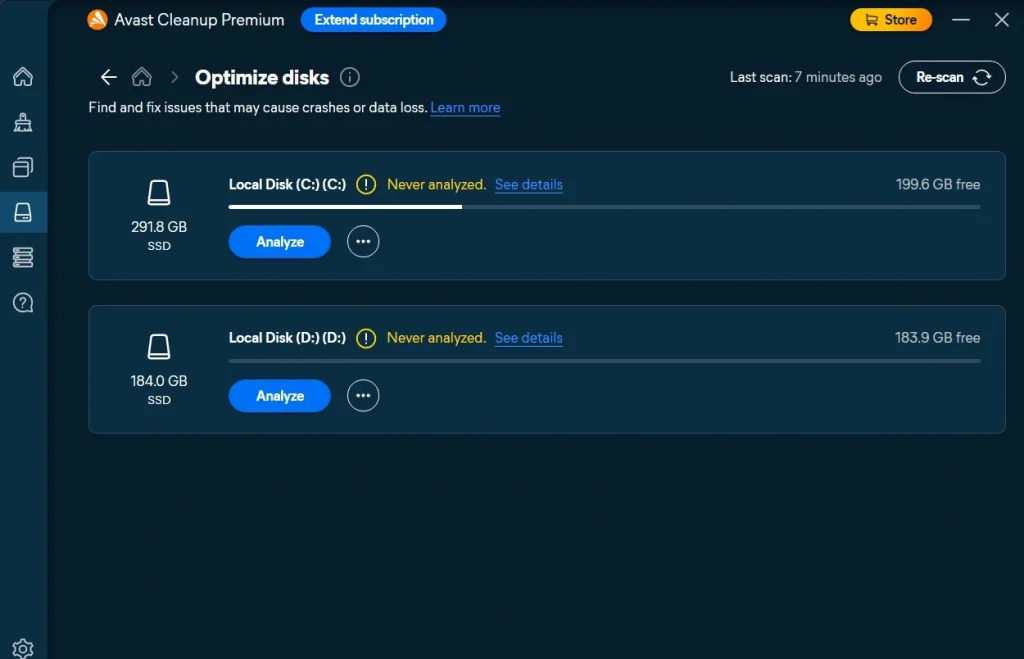
This feature scans your entire hard drive from top to bottom, looking for files you no longer need. That includes temporary internet files, old installer packages, crash log files, and leftover data from programs you removed months ago. None of these files serve any real purpose once they pile up. Removing them frees up storage space right away, and on drives that were nearly full, the difference can be dramatic. Many users are shocked to see how many gigabytes of pure junk had been sitting untouched.
Browser Cleaner
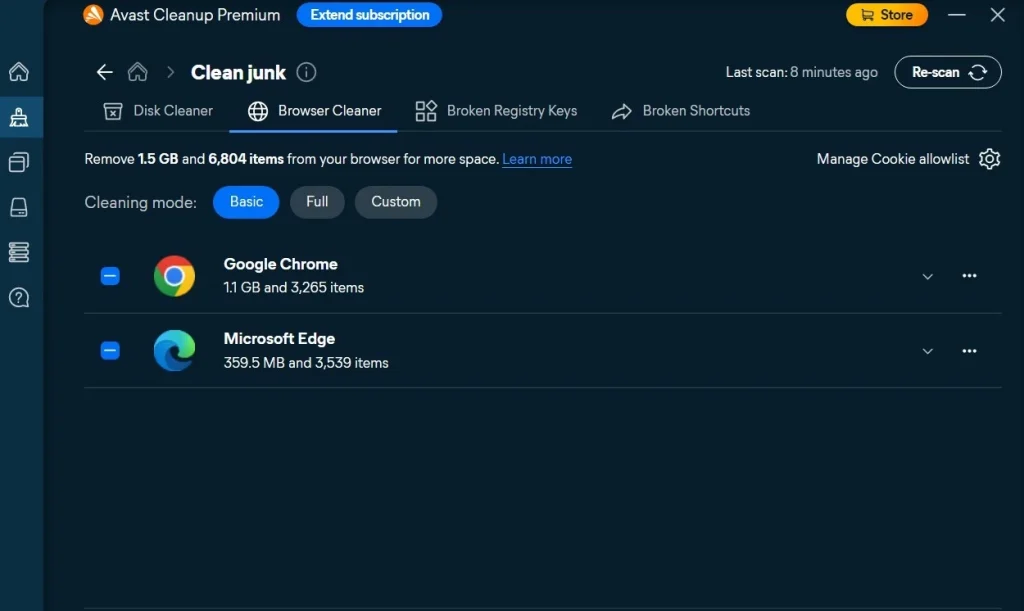
Every website you visit leaves something behind. Cookies, cached images, saved form data, and browsing history all build up in the background. Over months of daily use, this data can grow into gigabytes of clutter that slows down page loading and even affects overall system speed. The browser cleaner in this tool works across Chrome, Firefox, Edge, and other popular browsers. A single click clears out this buildup, which often results in noticeably faster page loading and smoother scrolling.
Software Updater
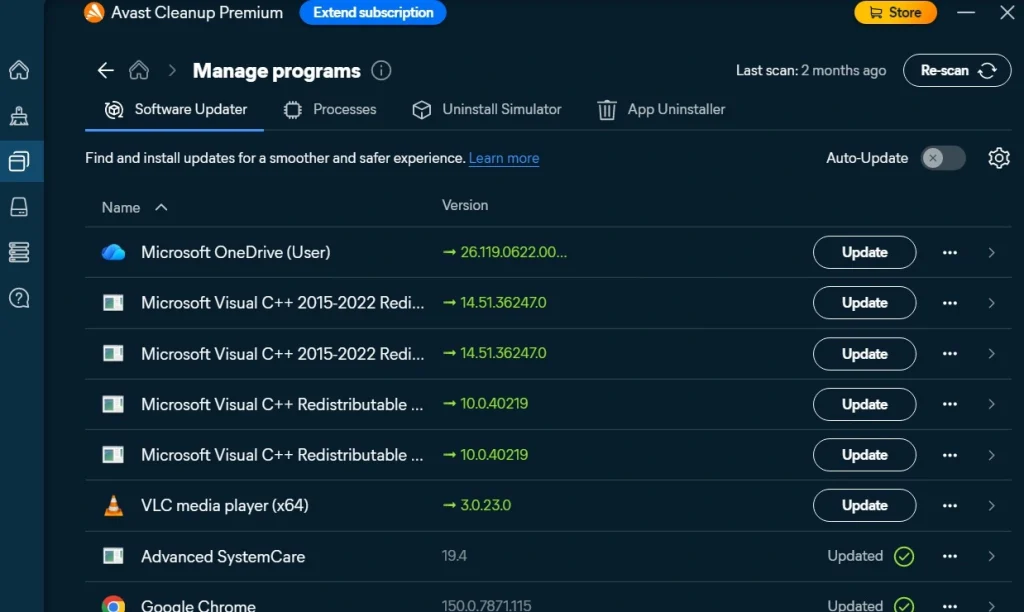
Outdated software is more than just an inconvenience. It can also open the door to bugs and security weaknesses that developers have already fixed in newer versions. This feature scans through your installed programs, checks their version numbers, and flags anything that needs updating. Instead of visiting a dozen different websites to download new versions one by one, you can handle updates directly from this single dashboard.
Registry Cleaner
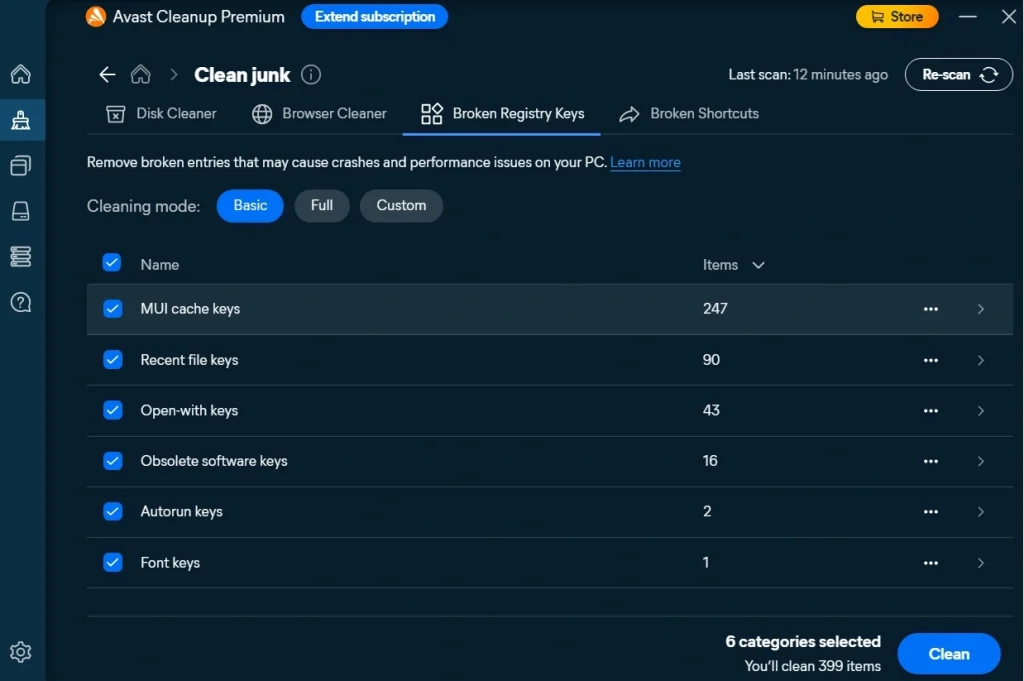
The Windows registry acts like a giant filing cabinet for your operating system and installed software settings. Over time, uninstalled programs often leave behind broken or orphaned entries in this registry. These leftover entries rarely cause major crashes, but they can contribute to small errors, slower boot times, and general instability. The registry cleaner scans for these unnecessary entries and removes them safely, which can lead to a slightly smoother-running system.
Data Shredder
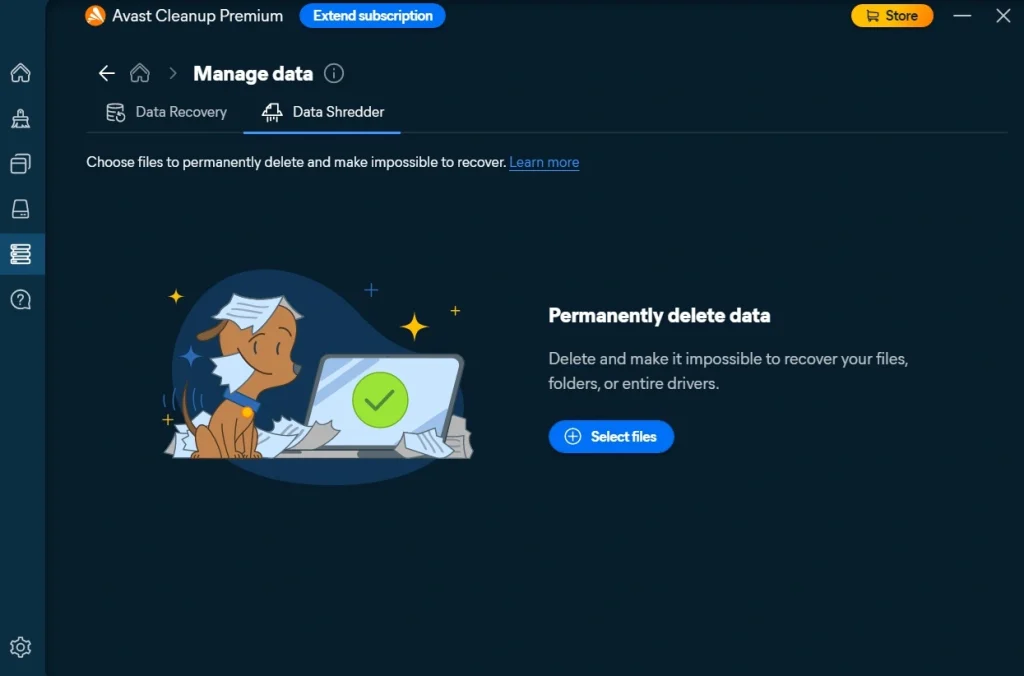
Simply deleting a file does not always mean it is gone for good. Traces of that data can sometimes still be recovered using specialized software, which is a real concern for anyone getting rid of an old laptop or handing a PC down to someone else. The Data Shredder feature permanently destroys selected files so they cannot be pieced back together later. This is especially useful for sensitive documents, old tax records, or personal photos you want erased beyond recovery, not just moved to the recycle bin.
Data Recovery
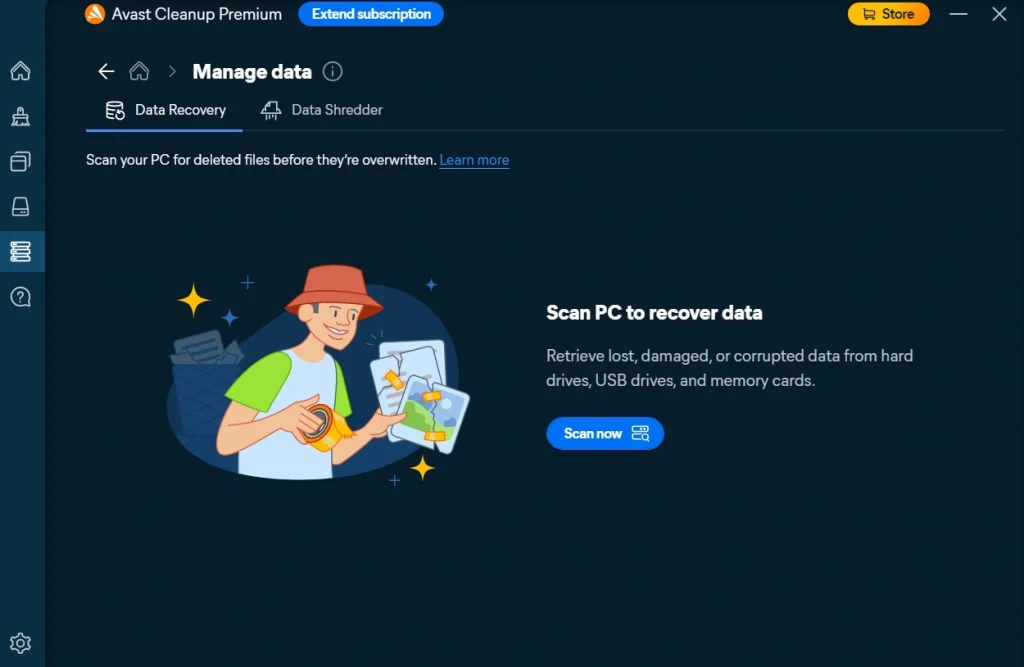
On the flip side of shredding, accidents happen just as often. A file gets deleted by mistake, a folder gets wiped during a cleanup, or a drive gets formatted before anyone backs it up. The Data Recovery feature scans your drive for files that were recently deleted and attempts to bring them back before they are permanently overwritten. While it cannot guarantee success in every case, it offers a useful safety net for those small moments of panic right after hitting delete.
Shortcut Cleaner and Uninstaller
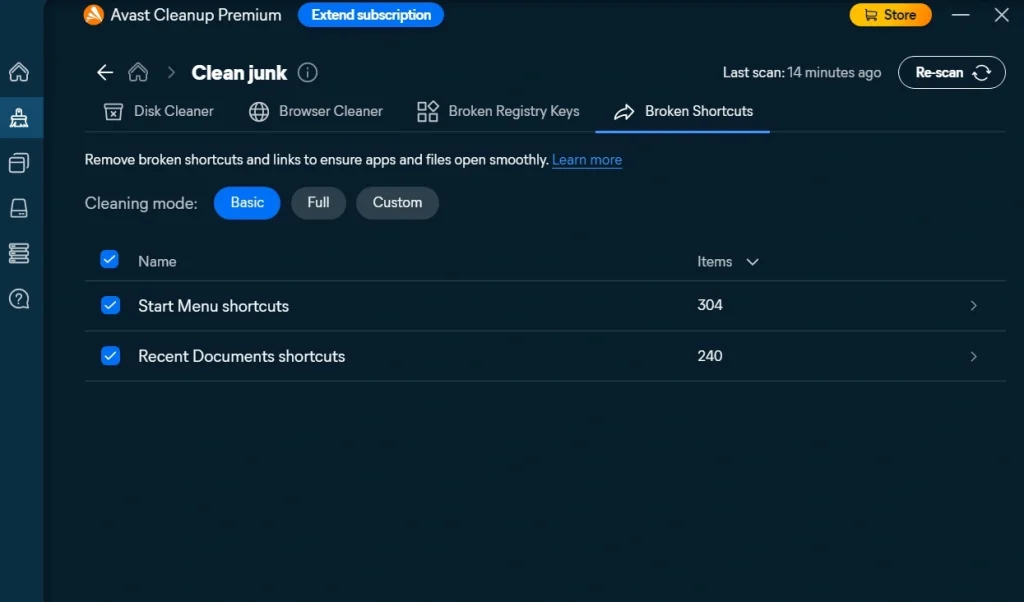
Desktop shortcuts sometimes point to programs that no longer exist, either because they were uninstalled or moved. These broken shortcuts clutter your desktop and add tiny bits of confusion every time you glance at your screen. This feature detects and removes them cleanly. The tool also includes a full uninstaller that removes unwanted programs completely, including leftover files and folders that a standard Windows uninstall often misses.
Part 4: How to Use Avast PC Cleanup Tool: Step-by-Step Guide
Getting started with this software does not require any technical background. The entire process, from downloading the installer to completing your first full scan, usually takes less than ten minutes on a typical Windows computer with a stable internet connection.
Before diving in, it helps to close any heavy programs running in the background, such as video editors or large games. This gives the scan a clear path to check your system properly and speeds up the whole process.
Once you are ready, follow these three simple steps to get your PC cleaned up and running smoothly again.
Step 1: Download and Install
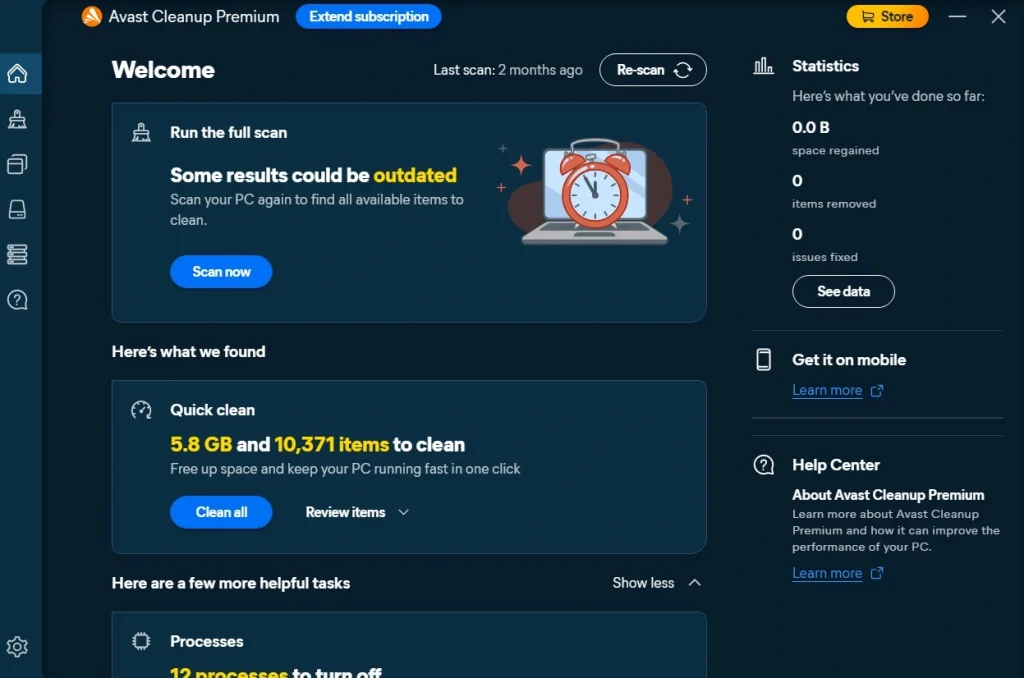
Head to the official Avast website and download the Cleanup installer file. Once the download finishes, open the file and follow the on-screen setup instructions. The installation process is quick, usually finishing in under two minutes. After installation, open the program from your desktop or Start menu. On the main dashboard, click the Scan Now button to begin.
Step 2: Wait for the Scan to Finish
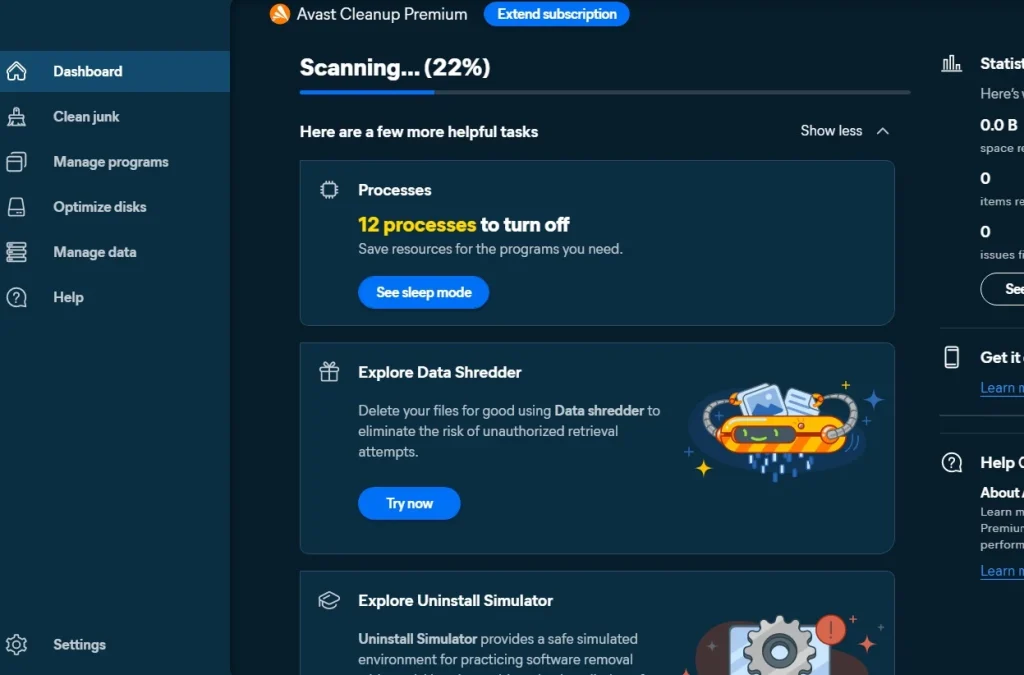
The tool will check your disk space, browser data, registry entries, and currently installed programs, all in one pass. Depending on how much data is stored on your PC, this first scan can take anywhere from one to three minutes.
Step 3: Review and Clean
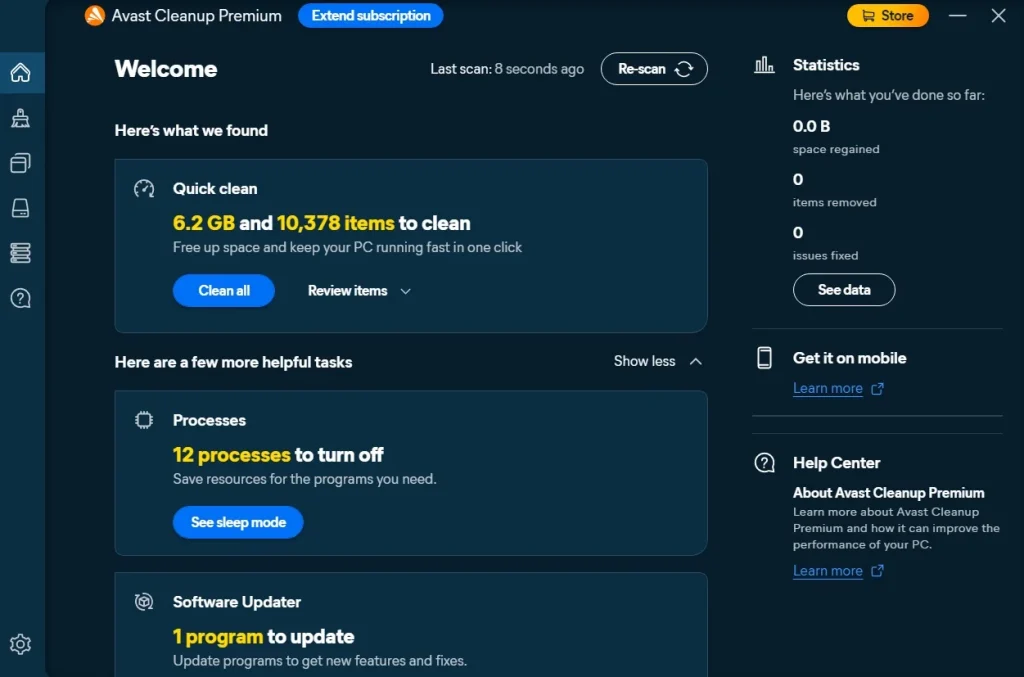
Once the scan finishes, you will see a detailed report listing every issue found, organized by category. Take a moment to review this list carefully rather than clicking through blindly. Uncheck anything you want to keep, then click the Clean All button to remove the rest. After cleaning, you will notice that your PC feels lighter and more responsive almost immediately after this final step.
Part 5: Strengths and Weaknesses of Avast PC Cleanup Software
No piece of software is perfect, and being upfront about weaknesses is just as important as praising the strengths. Below, we break down the clear pros and cons based on hands-on use and common patterns seen across user feedback.
Pros
- Quick installation: Setup took only a few minutes and didn’t require much input.
- Detailed scan results: Found 6.2 GB of junk files, broken shortcuts, and five startup apps slowing boot time.
- Noticeable speed boost: Boot time improved by about 20 seconds, and Chrome opened faster.
- Clear interface: Simple dashboard with big buttons and explanations before deleting anything.
- Sleep Mode: Paused background apps that were eating memory, freeing resources instantly.
- Undo Center: Allowed me to reverse changes if something important was removed.
Cons
- Limited free version: Basic cleanup works, but advanced features like registry cleaning or automatic updates are locked.
- High renewal cost: First-year discount is good, but renewal price is steep compared to alternatives.
- Overlap with Windows tools: Features like junk cleanup and startup management are already available in Windows for free.
- Registry cleaning risk: Experts warn this can cause issues, and I avoided using it.
- Background reminders: Notifications sometimes popped up even when I wasn’t running the program.
Part 6: Pricing Plans: Avast PC Cleanup Tool
Pricing for this software depends heavily on the plan you choose and how many devices you want covered under one license. Avast frequently runs seasonal discounts, which means the first year price is often significantly lower than the standard listed rate. It is worth checking the official website before buying, since promotional pricing changes often throughout the year.
- Free Trial: No cost at all. Lets you run scans and see a full list of detected issues, but does not allow you to remove them until you upgrade.
- Premium Plan (1 Device): Regular price sits around 60 US dollars per year, though first-year discounts commonly bring this down to around 30 US dollars.
- Premium Plan (10 Devices): Regular price sits around 70 US dollars per year, with first-year discounts often bringing it down to roughly 35 US dollars.
- Avast Ultimate Bundle: This plan combines Cleanup Premium with antivirus protection, a VPN, and privacy tools. Pricing shifts based on ongoing promotions, often starting somewhere between 40 and 50 US dollars for the first year.
Here is a detailed side-by-side comparison of what you get with the free version versus the paid Premium version.
| Feature | Free Version | Premium Version |
| Junk file scanning | Yes | Yes |
| Junk file removal | No | Yes |
| Browser cleaner | Scan only | Full cleanup access |
| Registry cleaner | No | Yes |
| Sleep Mode | No | Yes |
| Automatic software updater | No | Yes |
| Duplicate file finder | No | Yes |
| Scheduled automatic scans | No | Yes |
| Shortcut cleaner | Scan only | Full cleanup access |
| Customer support | Basic community help | Priority support access |
| Price | Completely free | Paid annual subscription |
Part 7: Performance in Practice: How the Tool Handled My PC
I installed Avast PC Cleanup on my Windows 11 laptop because it had become slow. The scan took about three minutes and showed 6.2 GB of junk files, broken shortcuts, and five startup programs that were slowing boot time. I liked that it gave clear details before deleting anything.
After cleanup, I noticed the difference right away. My laptop booted about 20 seconds faster, and Chrome opened without lag. The interface felt simple, with big buttons and easy navigation, so I didn’t feel lost while using it.
One thing I didn’t enjoy was the frequent pop-ups suggesting premium upgrades. For example, it kept asking me to pay for automatic driver updates.
The free version is fine for basic cleaning, but advanced features are locked. Overall, it did a solid job of speeding up my PC and clearing space, but the upsell reminders were a bit annoying.
Part 8: Global Trust and Reviews for Avast PC Cleanup Tool
Avast Cleanup Premium is globally trusted for convenience and ease of use, but reviews highlight mixed ratings: most users appreciate its simple dashboard and performance boost, while experts often criticize steep renewal costs and overlap with free Windows tools.
Global Trust and Reputation
- Established brand: Avast has been in the cybersecurity industry for over 30 years, which gives its cleanup tool credibility worldwide.
- User trust: Many everyday users rely on it for quick fixes to slow PCs, valuing its clear interface and guided cleanup steps.
- Expert skepticism: Tech reviewers often note that Windows already provides free built-in maintenance tools, making Avast Cleanup more about convenience than unique features.
Reviews and Ratings
| Source | Rating | Highlights | Concerns |
| TechCommuters | Positive (no score) | Easy to use, clear interface, effective junk cleanup | Paid after trial, upsell reminders |
| High Tech Society | 3.5/5 | Polished dashboard, Sleep Mode, automatic maintenance | Renewal cost is steep, overlaps with free tools |
| Independent Review 2026 | 6.2/10 | Multi-device convenience, Undo Center, granular scans | Registry cleaning risk, high renewal, limited unique value |
Strengths Noted Worldwide
- Convenience: Combines junk cleanup, app sleep, updater, and drive optimization in one dashboard.
- Ease of use: Beginner-friendly with clear explanations before deleting files.
- Multi-device support: One subscription covers Windows, macOS, Android, and iOS.
Limitations Affecting Trust
- High renewal price: First-year discounts are attractive, but renewal costs are much higher.
- Overlap with free Windows tools: Storage Sense, Task Manager, and Optimize Drives already cover most basic maintenance.
- Aggressive upselling: Frequent prompts for premium upgrades can frustrate users.
- Registry cleaning risk: Experts warn this feature can cause issues without clear benefits.
Conclusion
The Avast PC Cleanup Tool brings together a genuinely useful set of features under one simple, easy-to-navigate dashboard. From clearing out junk files and browser clutter to pausing idle background apps through Sleep Mode, it covers most of the common headaches that come with a slow, cluttered Windows PC.
Pricing is admittedly one of its weaker points, especially once the first-year discount fades and renewal rates kick in at full price. That said, the free trial gives new users a low-risk way to test the waters before spending any money, and frequent promotional discounts make the paid version far more reasonable than its listed price suggests.
For anyone who values a trusted, long-standing brand name behind their maintenance software and does not mind paying a bit extra for convenience, this tool is well worth trying. Budget-conscious users might still benefit from comparing a couple of alternatives first, just to make sure the price fits their needs before committing to a full year subscription.
FAQs
Is Avast PC Cleanup safe to use on my computer?
Yes, it is generally considered safe. The software comes from a well-established security company with decades of experience building trustworthy products. It is designed to avoid touching critical system files during cleanup, though reviewing scan results before confirming any deletion is always a smart habit worth building.
Does the free version actually clean my PC?
No, the free version is limited to scanning your system and displaying a report of issues it finds. Actually removing junk files, fixing registry entries, or accessing features like Sleep Mode and the software updater requires upgrading to the paid Premium plan.
Will this tool slow down my computer while it runs in the background?
The application itself does use a small amount of memory while active, similar to most maintenance tools on the market. On newer computers with sufficient RAM, this impact is barely noticeable. On older or lower-spec machines, users may notice a slight effect during particularly heavy multitasking sessions.

Author Bio:
Dinesh Lakhwani, the entrepreneurial brain behind “TechCommuters,” achieved big things in the tech world. He started the company to make smart and user-friendly tech solutions. Thanks to his sharp thinking, focus on quality and the motto of never giving up, TechCommuters became a top player in the industry. His commitment to excellence has propelled the company to a leading position in the industry.
Popular Post


Recent Post
Avast PC Cleanup Tool: A Detailed Review
Computers do not slow down overnight. Well, yes! That’s right! It happens in small steps. A temporary file here. A leftover installer there. A browser cache that quietly grows for months without anyone noticing. Add a few startup programs that load automatically, and soon your once fast machine feels like it is wading through mud. […]

Outbyte PC Repair and Cleanup Tool: A Detailed Review
The laptop took nearly two minutes to open one folder. Chrome froze twice. The fan sounded like a tiny jet engine. Most of us have lived through a day like this. Right? Don’t worry! The machine is not dying. It is just tired and messy. A good cleanup can often bring back some of the […]

WMaster Cleanup PC Cleaner Tool: A Detailed Review
Your PC was fast on day one. Right? Every click felt instant, every app opened in a snap, and the fan barely made a sound. Then came the browser tabs, the half-finished downloads, and the apps you tried once and forgot to remove. Slowly, without any warning, that same machine started to feel tired. Boot-ups […]
BleachBit PC Cleaner Tool: Complete Review After Running Tests
A PC never stays clean on its own. Every app you open, every website you visit, and every file you download leaves something behind. Weeks turn into months, and suddenly your storage feels tight, and your PC feels slower, with no clear reason why. The usual fix is a cleaning tool. But the market is […]

Iolo System Mechanic Review: Full Breakdown and Honest Take
Iolo System Mechanic is designed for users who want their PC to feel fresh and responsive again. With just a few clicks, it digs into the system, clears out unnecessary clutter, and delivers noticeable speed improvements. The interface is straightforward and beginner‑friendly, making it easy to navigate without confusion. But this tool goes beyond simple […]

Clean Master for PC Tested: A Full Breakdown of Its Tools
A computer doesn’t slow down overnight. Right? It happens bit by bit. Extra downloads, leftover cache, startup apps piling up. Soon the fast machine you loved feels sluggish. Boot times drag, programs freeze, and even opening a browser tab feels heavy. This slow decline is common, caused by junk files, cluttered registries, and hidden tasks […]
How To Clean Your PC/Laptop: Guide for Beginners to Experts
A computer never announces that it needs help. Well, yes! It just gets slower, hotter, and noisier, one day at a time, until you finally stop and wonder what changed. Nothing changed overnight. What happened is dust and clutter, working quietly in the background for months. Dust settles inside fans and vents, trapping heat and […]

Wise Care 365 PC Cleaner Tool: A Hands-On Review
Every Windows user knows the feeling. Your computer runs fast on day one. Then months pass. Files pile up. The registry gets messy. Startup takes longer. Apps freeze more often. This slow decline is normal, but it is also annoying. Most people just live with it. Some restart their PC often, hoping it helps. It […]

Glary Utilities PC Cleaner: Complete Review [Tested and Trusted]
Glary Utilities is one of the most popular PC optimization tools available today. It combines cleaning, repair, and performance‑boosting features into a single suite. The goal is simple: keep your computer running fast and stable without needing multiple separate programs. In this review, we’ll look at how Glary Utilities performs in real use, what features […]
Microsoft PC Manager: Complete In-Depth Review
A slow computer can ruin your whole day. Files pile up. Startup apps multiply. Before you know it, your once fast machine feels sluggish and tired. Most people search for a fix, but many tools out there are bloated, pushy, or full of ads. Microsoft PC Manager was built to solve this exact problem. It […]
